Grace · by AgentSprock
Meet Grace. A friend who thinks it through with you.
Grace is an AI companion for adults 18 and over. She does chat, research and memory, and she is made for busy people. She keeps your notes in order, digs into your questions, and brings in her moons, helper AIs you can question, across one project or ten. She is in beta, web first. Join the waitlist.
Hi, I'm Grace.
Think it through together.
Grace is an AI chat, research and memory companion. Say you have a talk to give at your evening class, a trip in October and a half-written story. That is three projects and one tired brain. Give Grace all three, and she helps you plan them, research them, and keep tabs on how they're going.
She works with you, not for you: expanding on ideas you already have, digging into the topics you want to understand, and keeping everything in order while you get on with your day.
A Tuesday with Grace
In the morning you ask Grace which three questions your talk still can't answer. At lunch you add a note to the trip. At night you open the story world and see two open questions about the old mill. Three projects, one place, and nothing lost between them.
Chat
Talk it through, any time. Start with the messy version of the thought. Grace helps you shape it.
Research
Dig deep without losing the thread. Follow a question five steps down and still find your way back.
Projects
One or many, all in view. Each project keeps its own notes, moons and open questions.
Moons
Helper AIs on call. Give each one a job and a name.
Grace is in beta, for adults 18+. She's a helpful partner, not an oracle, so double-check anything important.
The knowledge orbit
Brainstorm in orbit.
The knowledge orbit is where Grace brainstorms and researches with you. Each topic is a ring. Grace and your moons ask the questions, you answer, and every answer becomes a note she can find later. Open questions shine on the rings, so you can see what is still unknown at a glance.
A ring, start to finish
Take that evening class talk. You make a ring for it. Grace asks: what is your main point, which photo opens the talk, what will the room ask you? You answer the first two, and each answer is saved as a note. The third question keeps glowing, so you know where to spend Thursday night.
What an open question looks like
Picture a ring with five questions and three answers. The three answered ones sit quiet. The two open ones shine. You don't have to remember what is missing. You just look at the ring.
Board or conversation?
A chat is good for following a thought. A board is good for stepping back. Use chat when you want to talk it through. Use the orbit when you want to see what is still open.
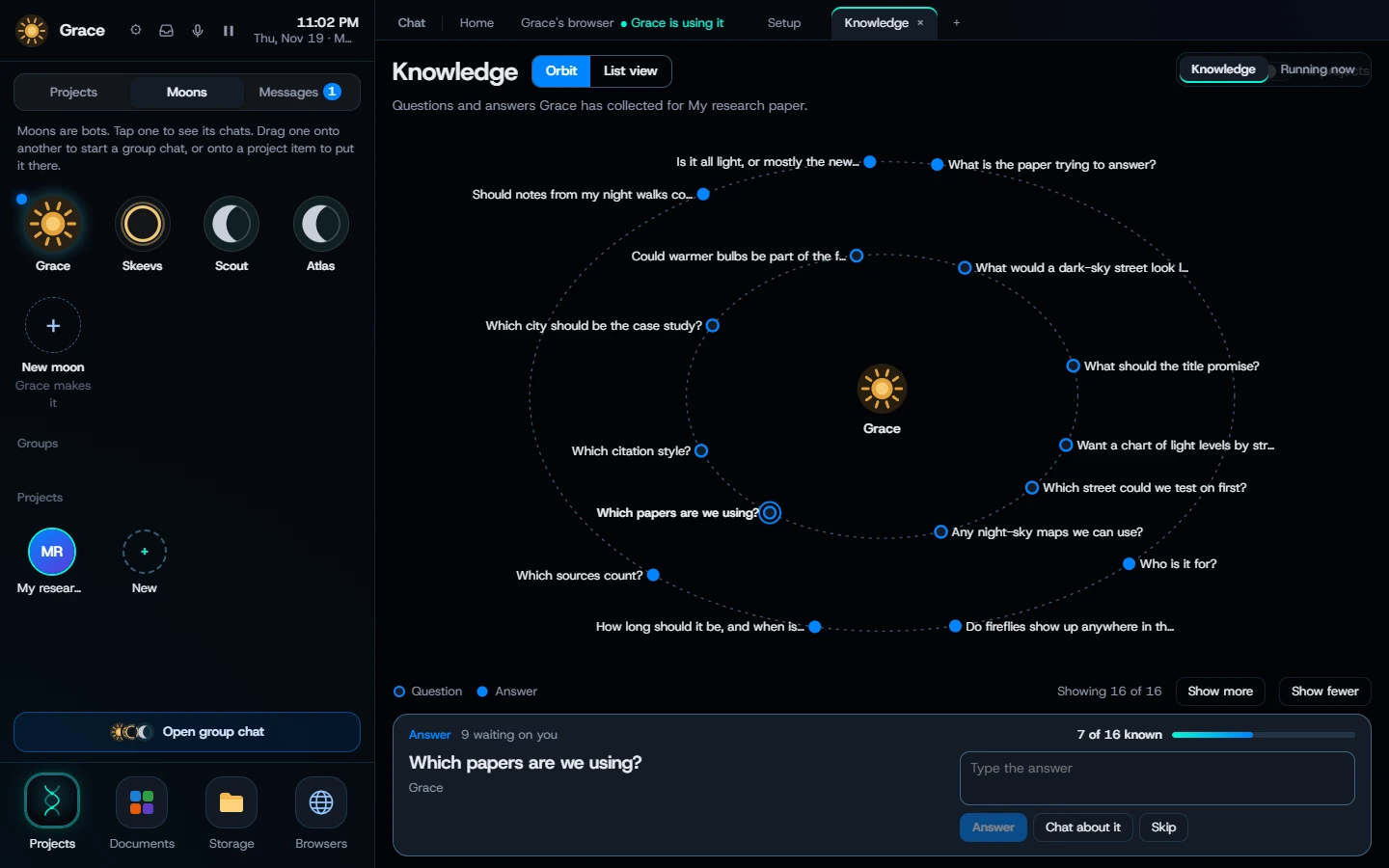
What would you put in orbit?
Write a research paper
The question, the sources and the write-up, each on its own ring. You can see which source you haven't read yet.
Study for an exam
A ring per chapter. The open questions show you what to review, so Sunday night is not a guessing game.
Shape a new product idea
Who it is for, what it does and what to build first. The open rings are the things you haven't decided.
Plan a trip
A ring per stop: where to stay, what to see, what to book. Whatever still glows is whatever you haven't sorted.
Build a story world
Characters, places and plot, all asking to be filled in. Who is the mayor's cousin? What is under the old mill?
Dig into a big question
Anything you are curious about, one answer at a time. Why do tides come twice a day? Start there.
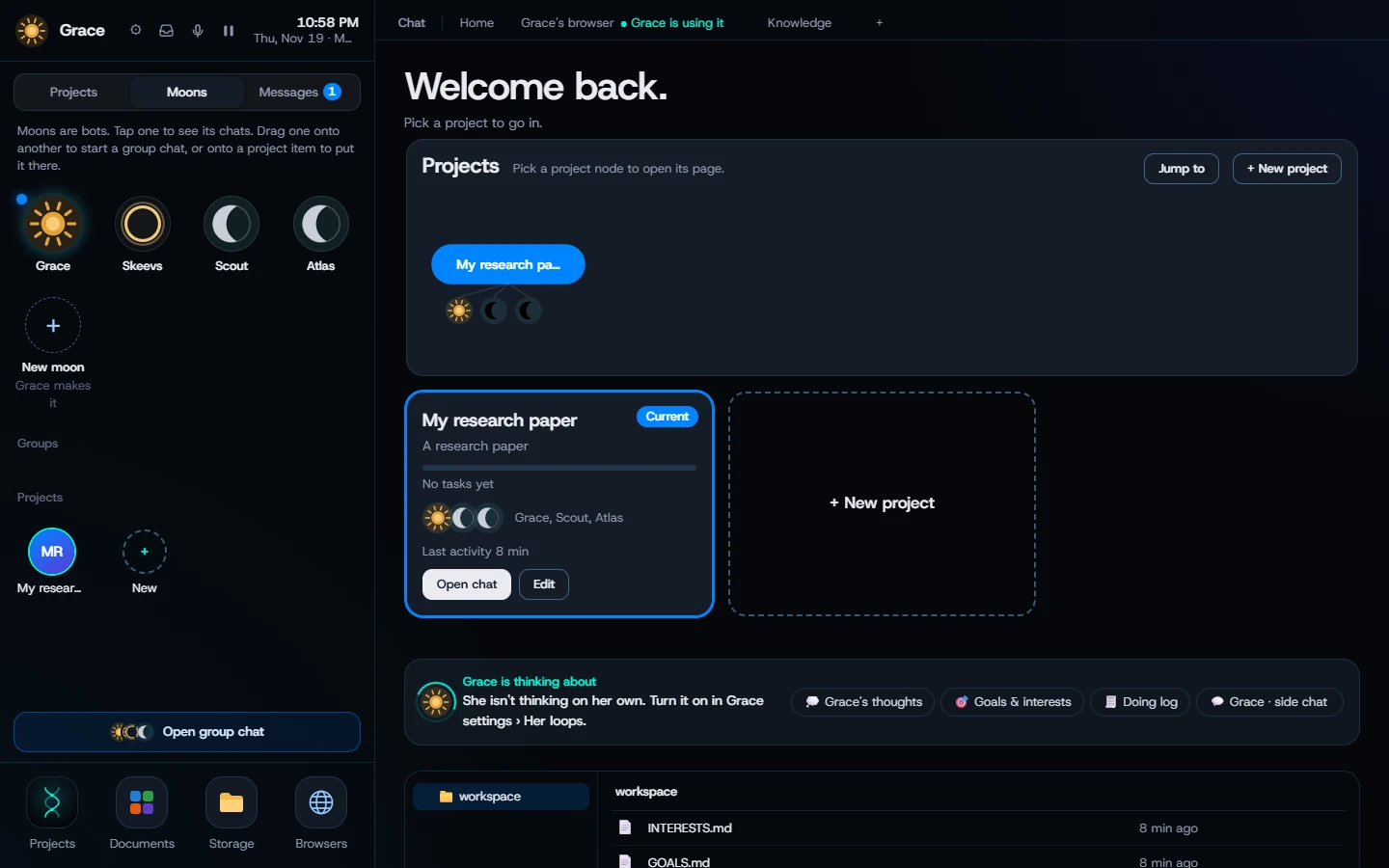
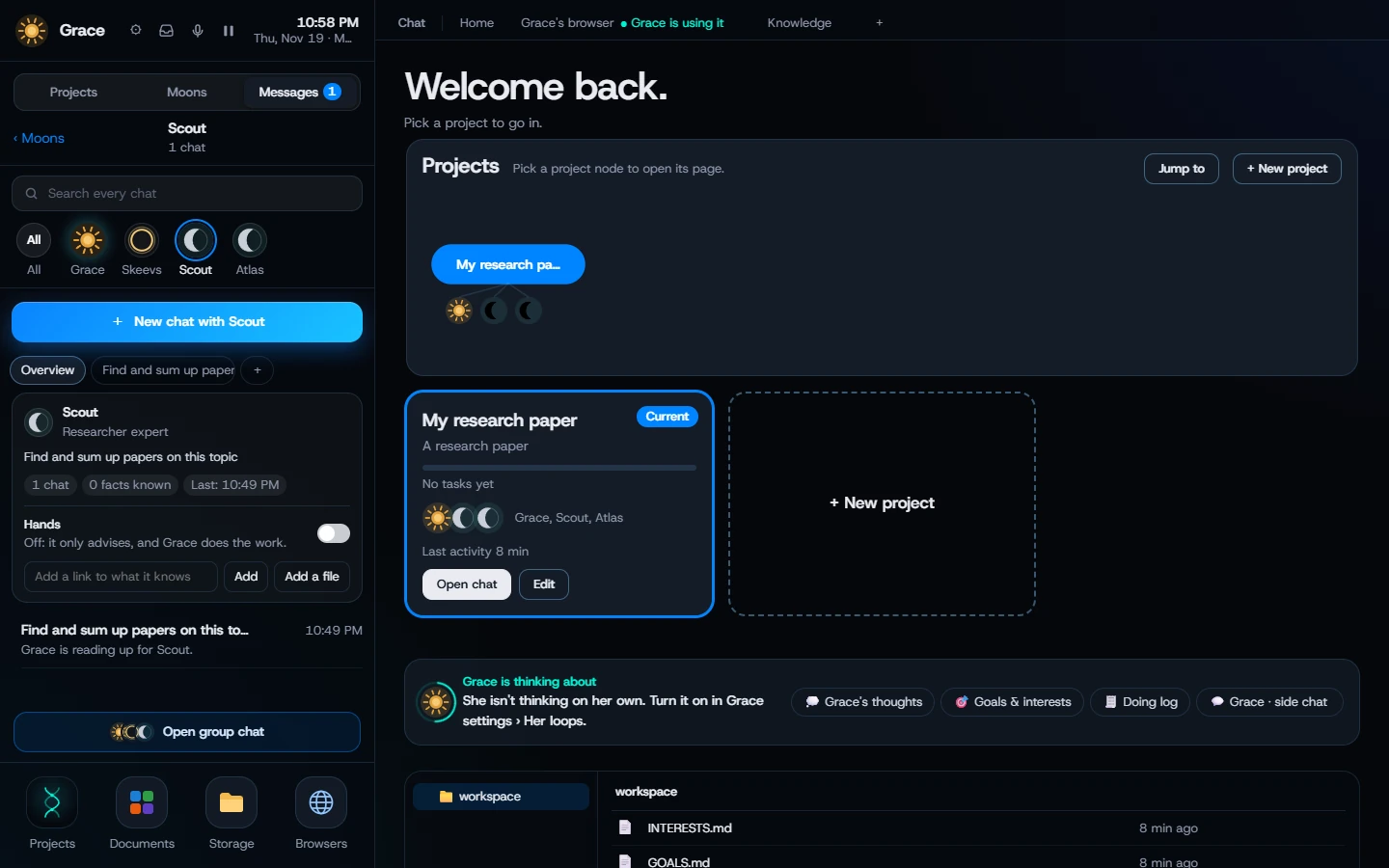
Meet your moons.
Moons are Grace's helper AIs, and you get a whole team of them. Scope a moon to a job, then ask it questions, the way you'd ask a colleague. Make one a patient study partner, a sharp devil's advocate or a methodical archivist, and give it any name you like.
Two moons, one draft
Say you wrote a plan for your talk. Ask your study partner, "Which part can't I explain yet?" Ask your devil's advocate, "What would someone push back on?" You get two honest readings of one idea. You set each moon's job once, so you don't re-explain it every time.
Name them anything
Call your devil's advocate The Skeptic. Call your archivist Dusty. A name makes a moon easier to reach for, and a little more fun to argue with.
Study partner
Works through a topic with you, one question at a time.
Devil's advocate
Pokes holes before anyone else can.
Archivist
Files what's done and keeps what matters close.
Skeevs
Our founder's own moon. He never agrees with anyone, and almost every time he weighs in, it's sage advice on keeping a project careful and focused.
Moons are helpers, not people with credentials. They are good at asking, sorting and poking. For anything that matters, check it yourself.
Notes that stay in order.
Grace is strong at taking notes, keeping track of what you tell her, and organizing it all. Busy people don't need more things to manage. They need one place that's already organized.
A note worth keeping
Tuesday's best note might be one line: "Open the talk with the photograph, not the dates." Small, but it is the kind of detail that vanishes when you put a project down for the night. Grace keeps it where you can find it.
Study together
Work through a topic and let the notes pile up behind you.
Build a knowledge base
Turn scattered notes into something you can search. The sticky note, the half-sentence, the link you meant to read.
Clean and archive
Tidy what's stale, keep what matters. A finished project goes to the shelf, not the trash.
Calendar
Your plans, right next to your projects. The talk has a date, and the date sits beside the work. The calendar is live when Grace launches.
Picking a project back up
It is Thursday. You set the trip aside on Sunday. You open it and find your notes, the questions that are still open and the dates you set. You start where you stopped.
Where Grace fits.
A single chat is great for a quick answer. A notes app is great when you already know what to write. Grace is for the space in between.
| What you need | A single AI chat | Notes app plus calendar | Grace |
|---|---|---|---|
| Quick question | Great | Not its job | Yes, in chat |
| Seeing what you haven't answered | Scroll back | You track it yourself | Open questions glow on the ring |
| A second opinion | Start another chat | Not its job | Ask a moon |
| Notes and dates in one place | Not its job | Yes | Yes, next to your projects |
If one chat and a notebook already work for you, keep them. Grace is for when you are juggling several projects and want the thinking, the notes and the dates side by side.
Plans.
Planned pricing. Prices and plan details may change before launch. Nothing is on sale yet.
Lite
$15/month
A light start. One project and a first look at how Grace feels.
Standard
$35/month
Everyday use across several projects. The talk, the trip and the story, all at once.
Pro
$95/month
Heavy research and many projects at once.
Plans, by how many projects you juggle. One project is Lite. A few at once is Standard. A pile of research is Pro.
Prices in US dollars. Full plan details arrive before plans go on sale.
Where Grace runs
Web first. Desktop and mobile apps are coming soon. Browsers are coming soon.
Be first through the door.
Grace is in beta and coming soon. Join the waitlist and tell us in one line what you would put in orbit.
Grace is for adults 18 and over.
FAQ
What is Grace?
Grace is an AI companion for chat, research and memory, made by AgentSprock for busy people 18 and over.
What are moons?
Moons are Grace's helper AIs. You create and name them, scope each one to a job, and ask them questions.
What is the knowledge orbit?
It is a visual board where each topic is a ring. Grace and your moons ask questions, your answers become notes, and open questions shine so you can see what is still unknown.
How is the knowledge orbit different from chat?
Chat is good for following a thought. The orbit is good for stepping back and seeing what is still open.
What can Grace help with?
Planning, research and keeping track of one or many projects, study sessions, and building and tidying a knowledge base.
How much does Grace cost?
Planned pricing is Lite at $15, Standard at $35 and Pro at $95 a month, in US dollars. Prices may change before launch, and nothing is on sale yet.
Can I use Grace today?
Grace is in beta and coming soon. Join the waitlist at agentsprock.com/grace/waitlist.
Does Grace have a calendar?
Yes. Grace has a calendar, right next to your projects. It is live when Grace launches.
Where will Grace run?
Web first. Desktop and mobile apps are coming soon. Browsers are coming soon.
Is Grace always right?
No. Grace is a helpful partner, not an oracle. Double-check anything important.
Who makes Grace?
AgentSprock LLC, a US company. See AgentSprock at agentsprock.com.